Story Three: Minor Photo Restoration(s)....Why Not
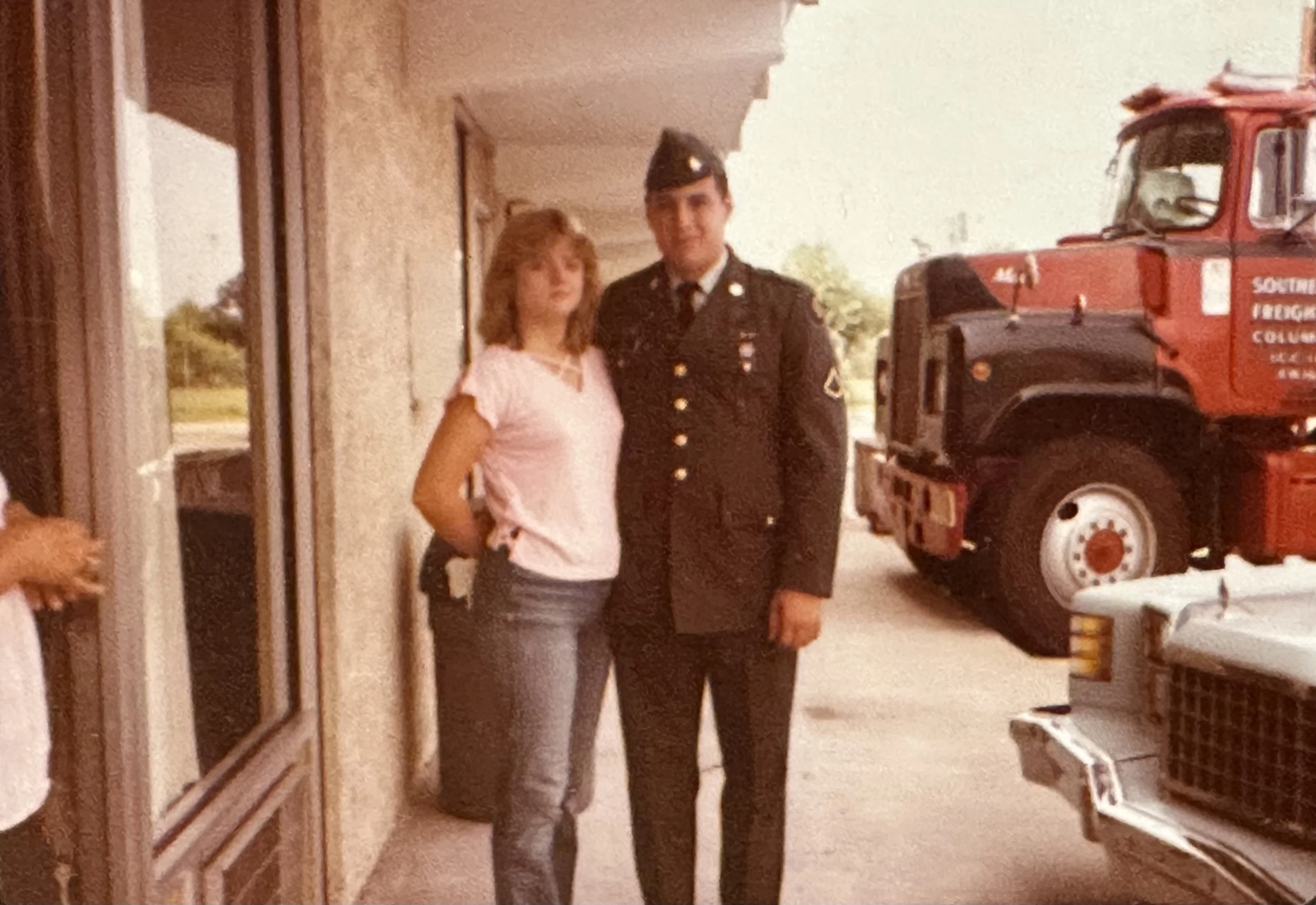
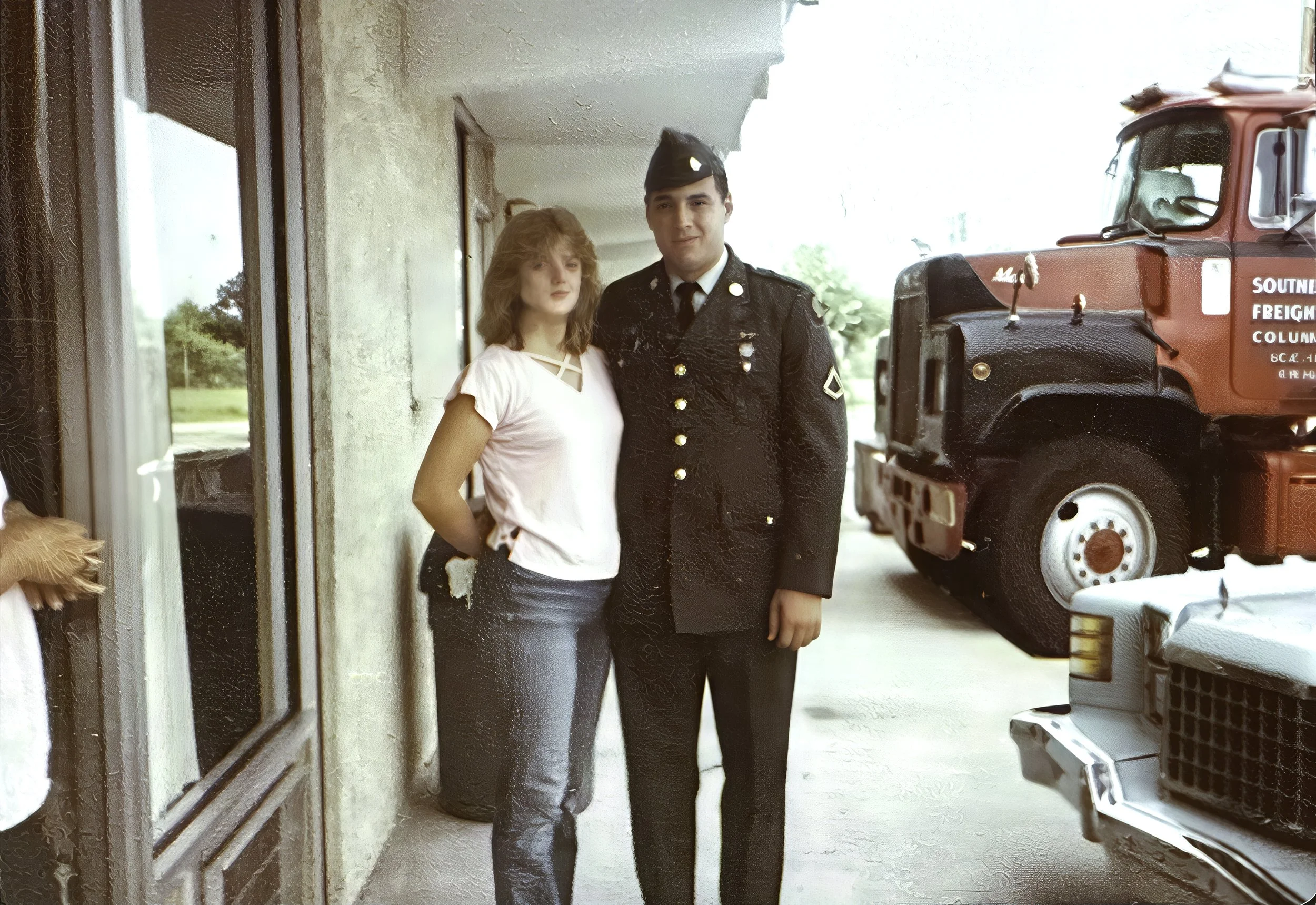
This project turned out to be quite interesting! It involved an old transparency film image she captured with her iPhone………
Story Three:
A friend of mine reached out, wondering if I could help with an image of her late father. She had snapped a picture of it with her phone before her sister brought it back home.
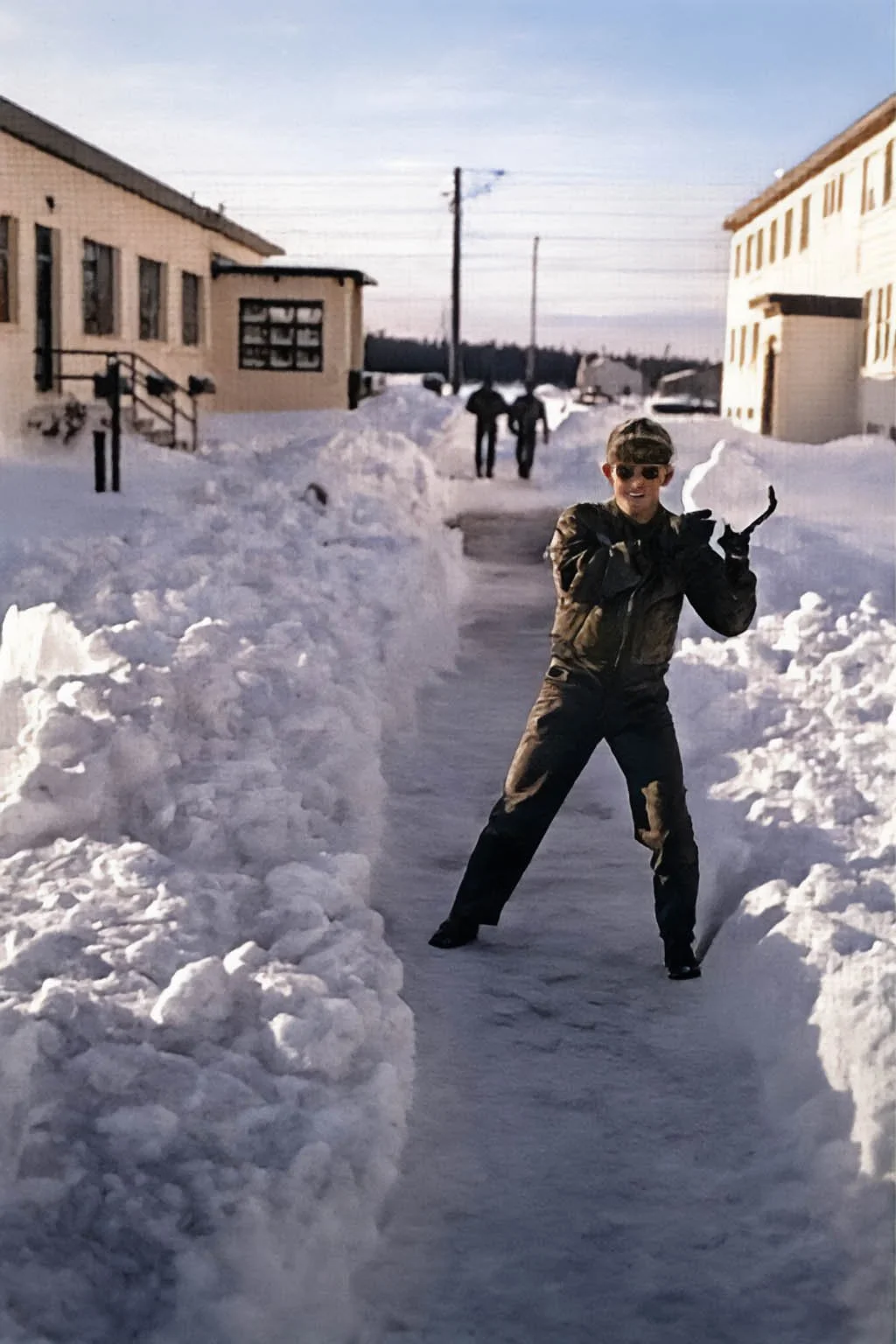
This project turned out to be quite interesting! It involved an old transparency film image she captured with her iPhone and sent to me in a text. The quality wasn’t the best, and the harsh shadows made it really tough to get any detail in his face. Talk about a bit of a challenge!
I happily decided to take it on, but I let her know upfront that I couldn’t promise anything amazing, especially since my restoration skills are pretty limited. Mostly, I work with color correction and enhancing images using Topaz Gigapixel AI.
In the end, she was really happy with how it turned out, even if the original picture didn't have much detail to begin with. It was great to help!
Story Two: Minor Photo Restoration(s)....Why Not
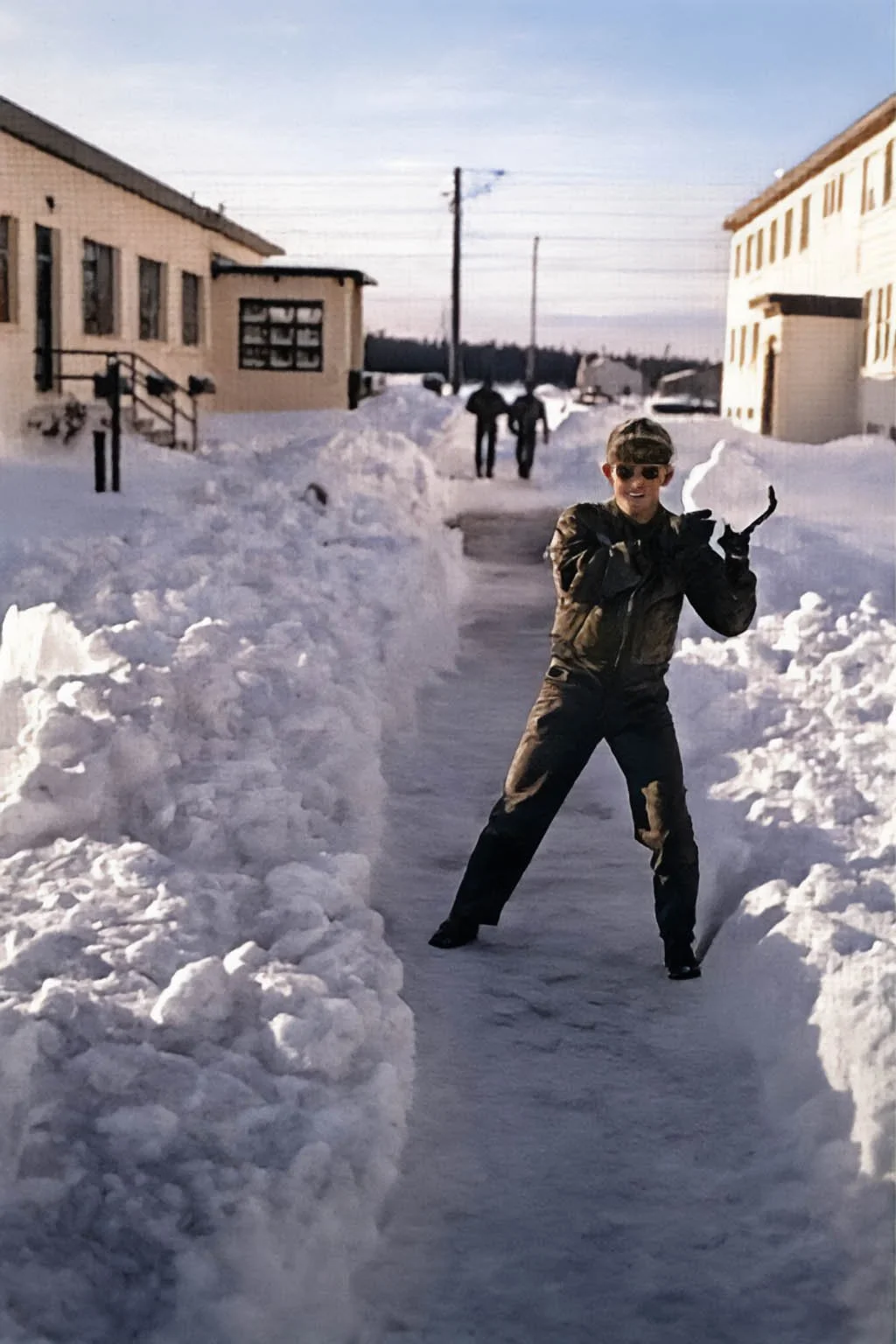
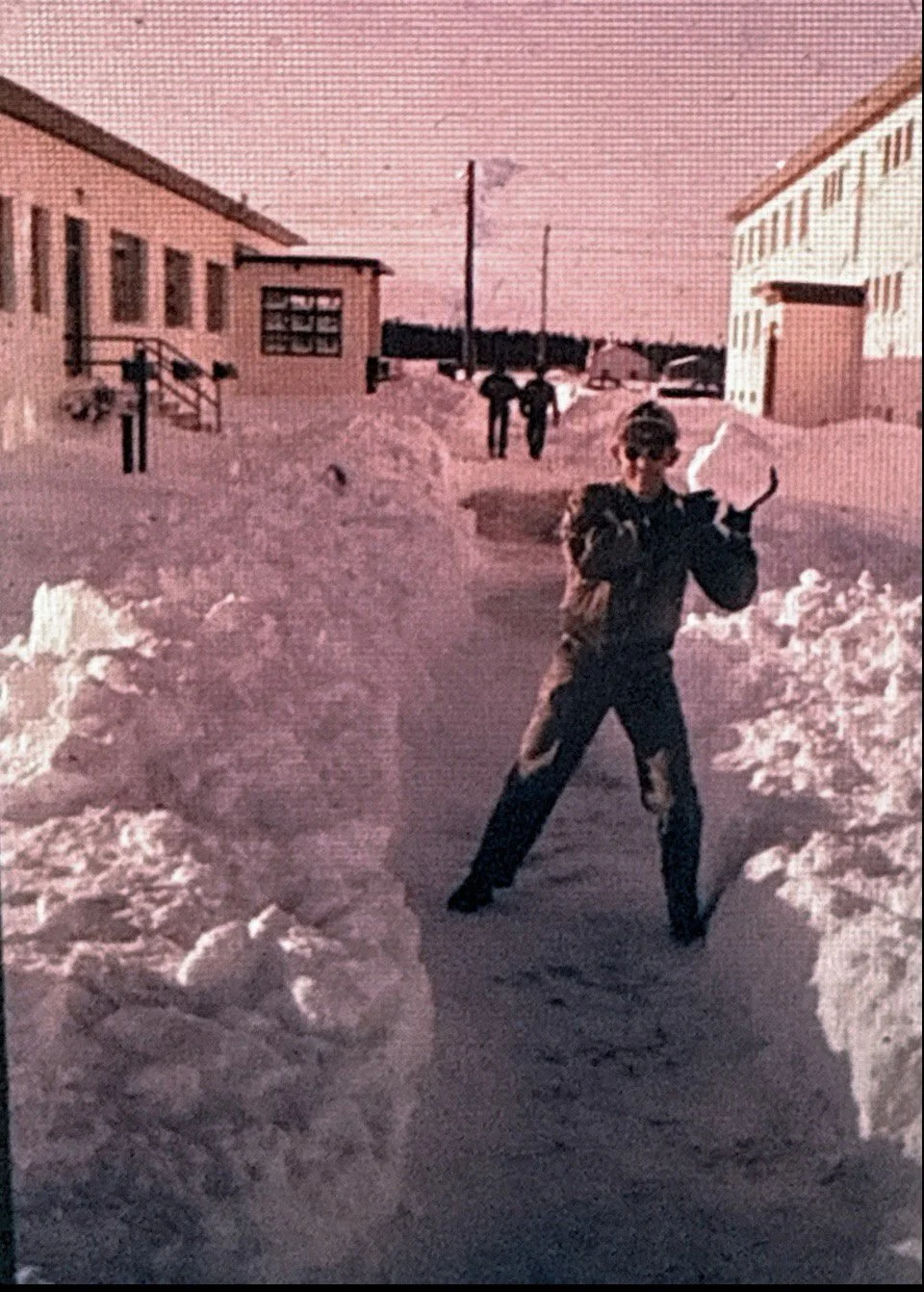
The original photo was 4x6, but the largest I could make the final print was 8x10. My in-laws didn’t mind and were happy to see their image restored.
Story Two:
My in-laws asked if I could bring out more detail and color in a dark snapshot. I used Topaz Gigapixel to sharpen the image before editing it in Adobe Lightroom Classic. For the final print, I used Photoshop’s High Pass filter and Liquify tool to add some punch and fix areas that Gigapixel AI had distorted.
The original photo was 4x6, but the largest I could make the final print was 8x10. My in-laws didn’t mind and were happy to see their image restored.
Below, the top image is the original from my in-laws, and the other is my final edit. I printed them using a Canon imagePROGRAF 1100 on Canon Pro Luster 260 GSM 8x10 paper and Moab Entrada Rag Bright 300 GSM 5x7 paper.